
Experts' Guide: Muuvment IQ Assistant
1. What is Muuvment IQ Assistant?
Muuvment IQ Assistant enables you to ask questions on ESG, sustainability, and related topics, delivering thorough, expert-backed answers to help you stay informed and make impactful decisions.
2. What Muuvment IQ Assistant can do for you
Muuvment IQ Assistant provides support with creating content for your business deliverables and offers insights on topics related to Sustainability and Environmental, Social, and Governance (ESG) matters. Below are some of the ways it can assist you.
- Policy creation: assists in the development of policies that foster diversity, equity, and inclusion, ensuring a more inclusive and equitable organizational environment.
- Programme development: provides support in designing programmes that achieve specific outcomes and promote sustainable practices within the organization, ensuring alignment with long-term sustainability goals.
- Insights: Gain valuable insights into the latest sustainability reporting and compliance requirements, including the Corporate Sustainability Reporting Directive (CSRD) and other frameworks such as the Global Reporting Initiative (GRI), Task Force on Climate-related Financial Disclosures (TCFD), and Sustainability Accounting Standards Board (SASB). Stay updated on evolving regulations to ensure your organization meets all necessary environmental, social, and governance (ESG) reporting obligations.
3. How to use Muuvment IQ Assistant
Assistant is on the Home page, app.muuvment.com/ai/home.
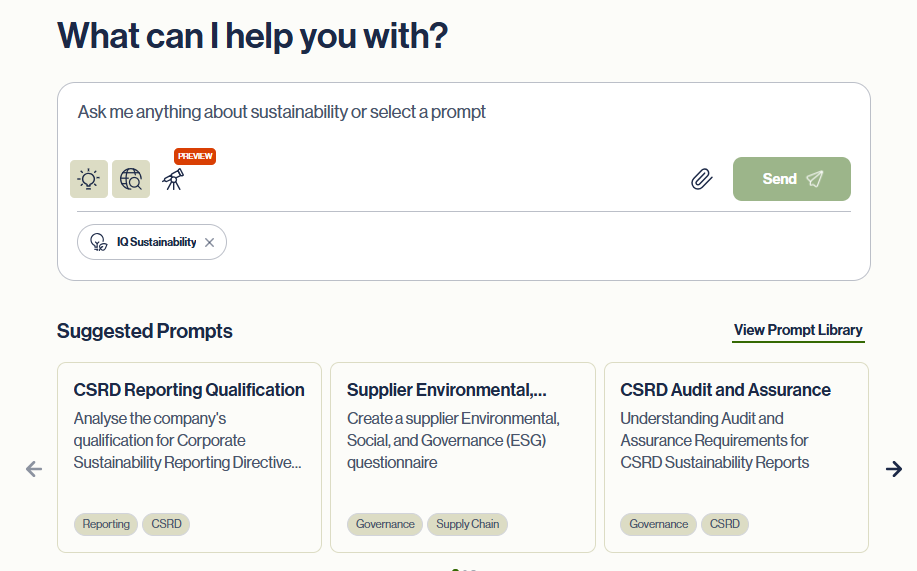
Start by providing instructions to your dedicated sustainability assistant. Think of your work with Assistant as a consultation process.
Getting Started
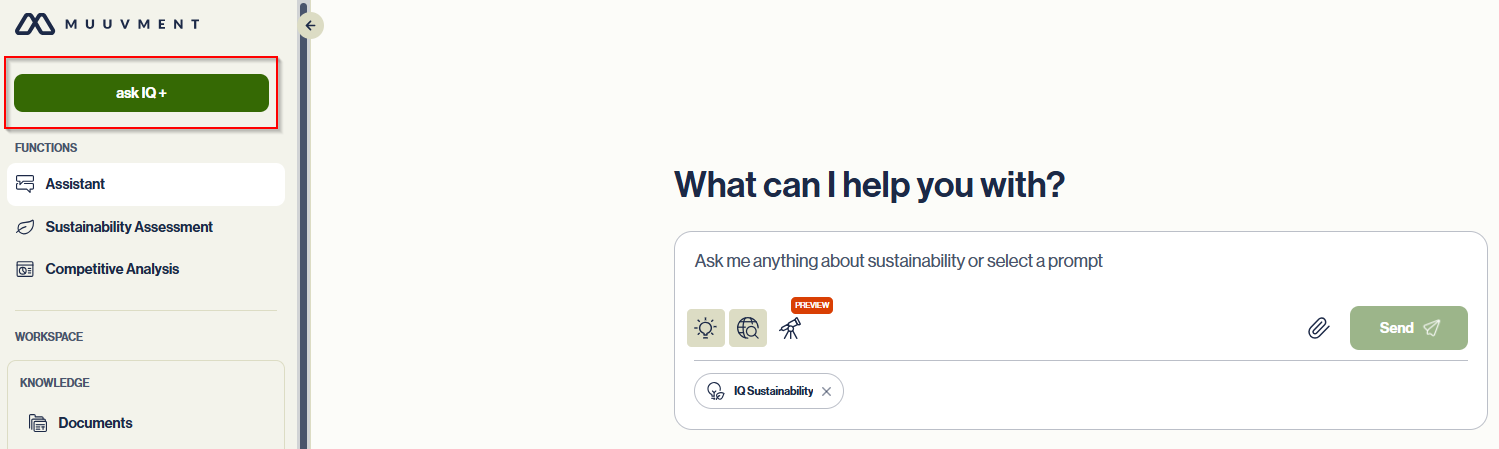
To begin a new conversation, click "ask IQ +".
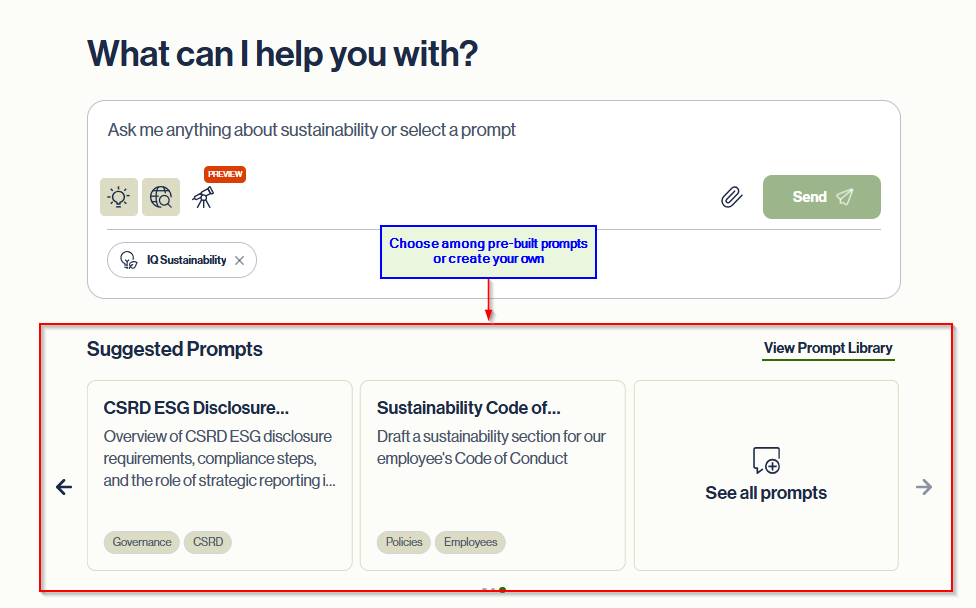
Write your own prompt or customize one from the Suggested Prompts library; "View Prompt Library" to browse all available prompts.
Search the prompt library by typing keywords or scroll through the list.
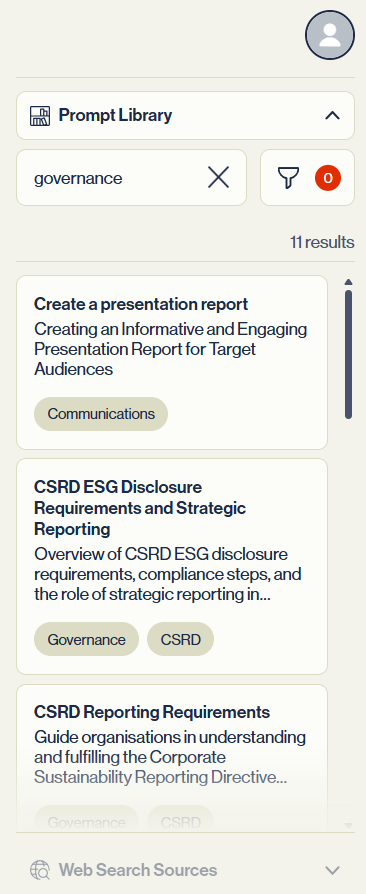
Select a prompt and edit the blue text to specify your desired topic and audience according to your business needs.
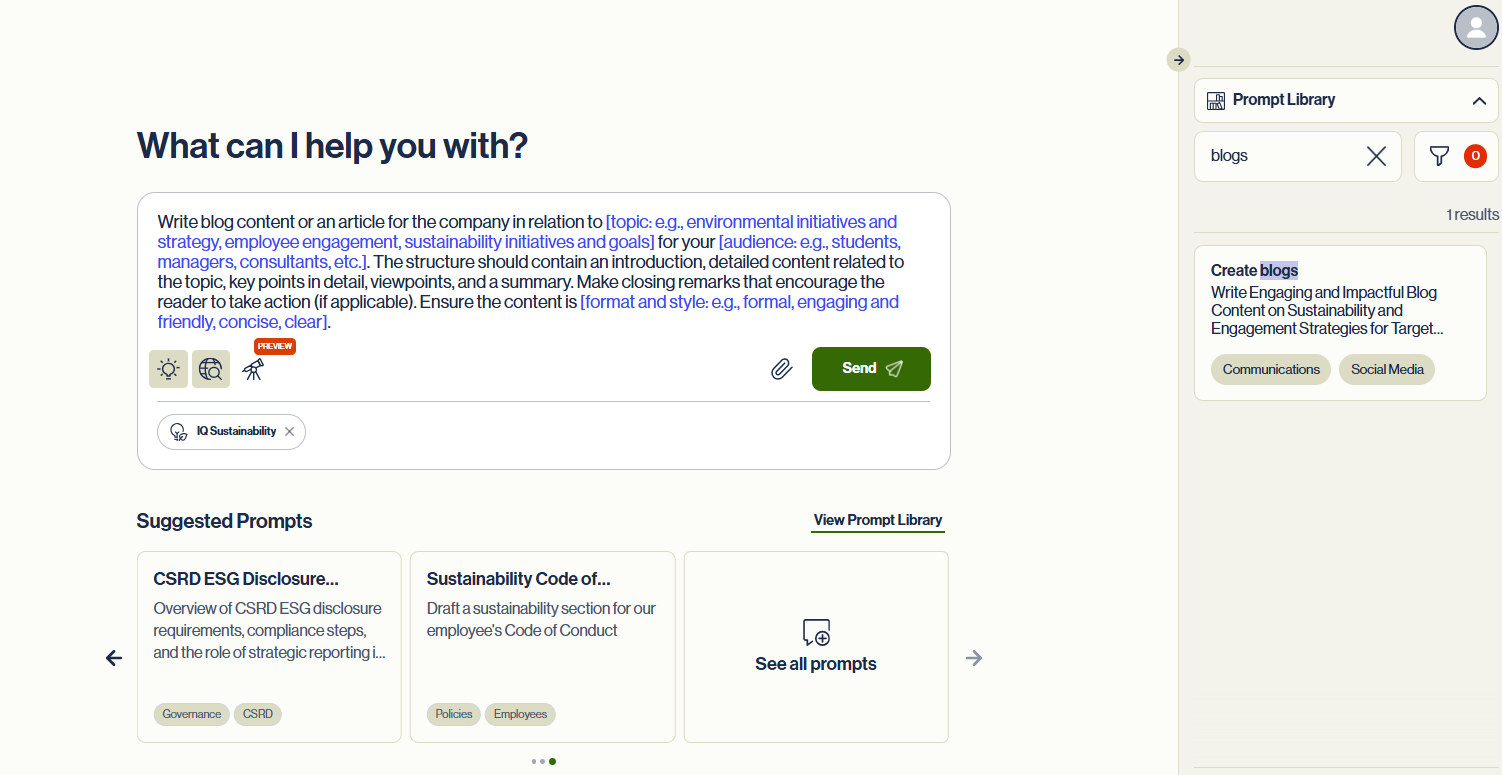
At the bottom of the prompt window there are four (4) source selectors. Select the one that best suits your needs.
- Upload or Select – Click to choose whether to upload new PDF documents or select existing documents.
- Web Search – Find the most up-to-date publicly available information.
- Knowledge Bases – Search curated policies, standards, FAQs, support documents and other reference material.
- Deep Research – Explore a topic through multi-source, in-depth analysis and cross-referencing.


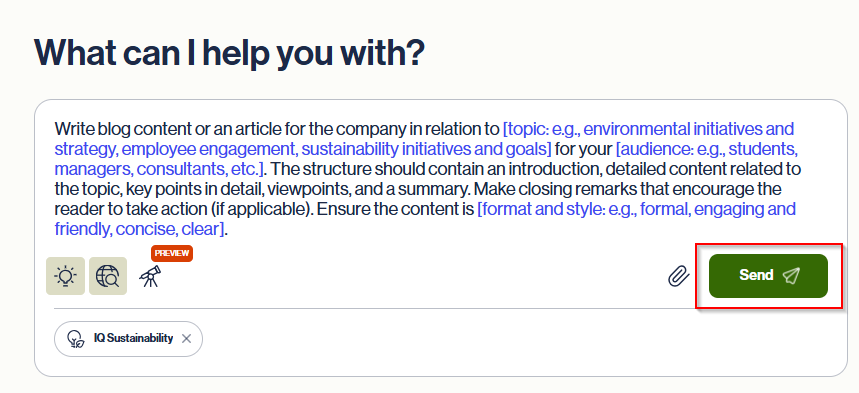
After selecting your source(s) and reviewing your prompt, click "Send" to proceed.
Custom prompts
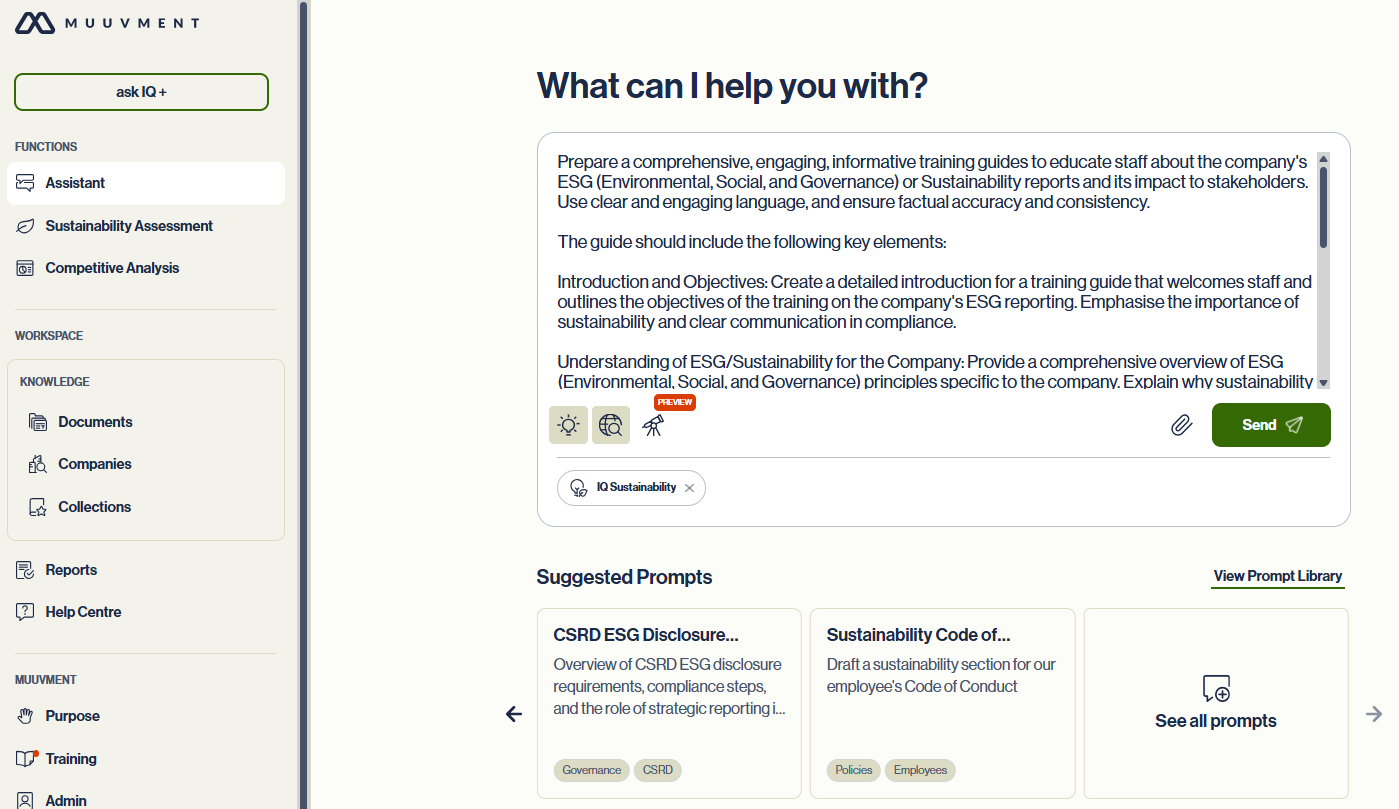
You can write directly in the IQ Assistant prompt window or, for detailed instructions, we suggest drafting in a separate planning document from which you can copy and paste.
- Remember to select which information sources IQ Assistant should work with while following your instructions.
- When typing in the prompt window, use SHIFT-ENTER to insert line breaks.
- Use the ENTER key or "Send" button to submit.
Tips: To ensure high-quality results, it is advisable to begin by providing context and clear guidance on the desired response before sending.
Review, Refine and Continue your Consultation
Always review each response to ensure it is accurate and relevant. Ask for clarification and follow-up questions. You can then continue with further instructions to ask for more detail or proceed to the next step in your consultation process based on the information provided.
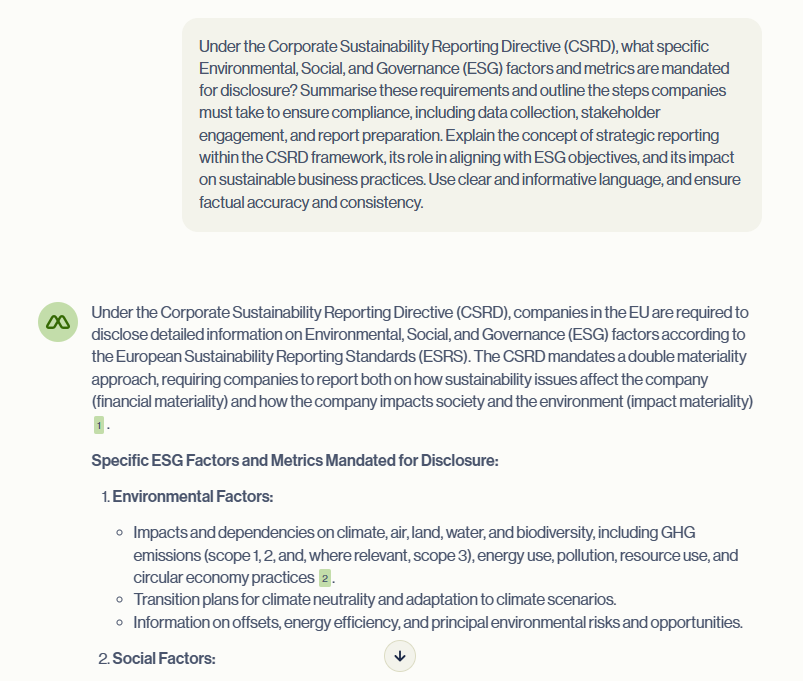
Tip: AI can make mistakes; check important information.
Check References
Muuvment IQ Assistant provides source citations. Click the links to jump to the referenced pages in the documents.
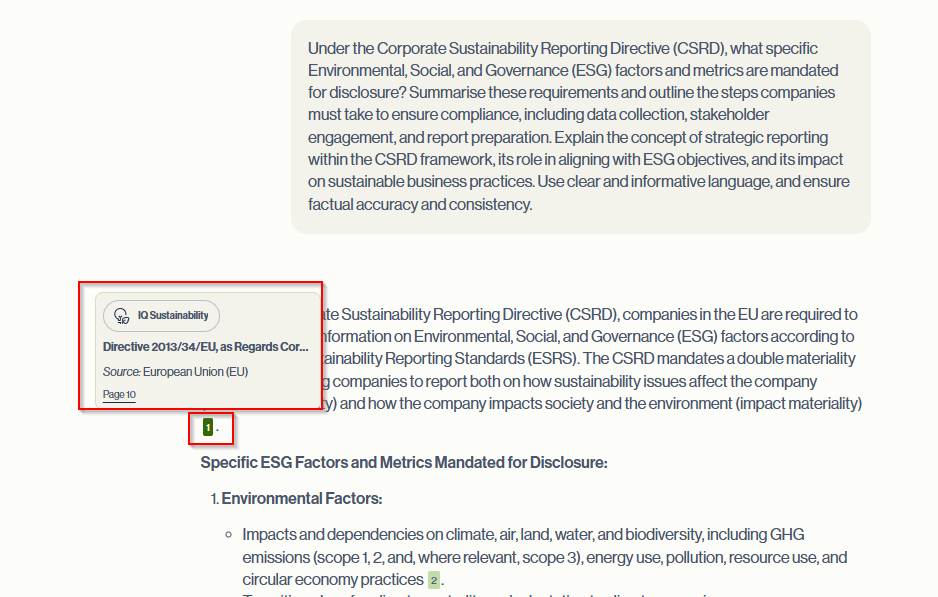
4. Sources in Muuvment IQ Assistant

| Source | How to Use It | When to Use It |
|---|---|---|
| Upload or Select | Upload documents - Upload PDFs files. IQ Assistant will extract and index the content. / Select documents - Choose from files previously uploaded by anyone on your team. | For specific internal documents or proprietary information. |
| Web Search | Enable live search for real-time information from the internet. | Best for accessing current data, news, statistics, or verifying up-to-date information. |
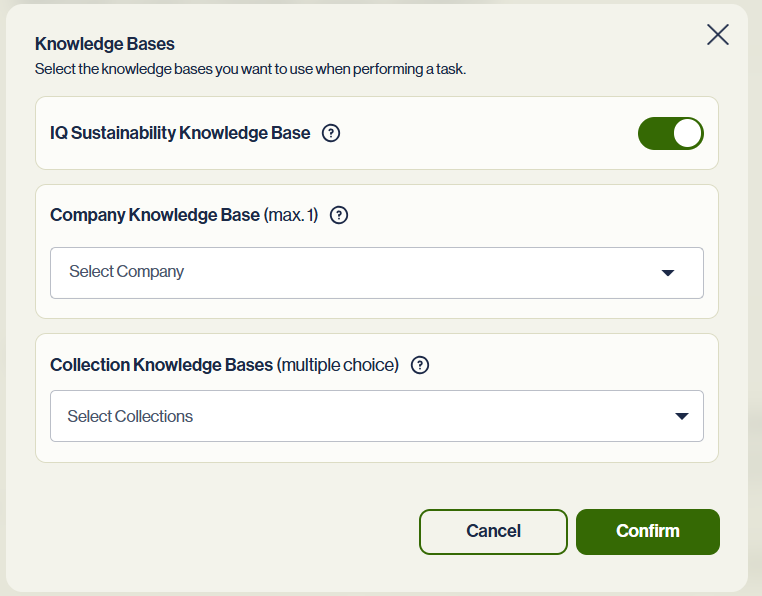
| Knowledge Bases | Use structured internal sources such as company wikis, training materials, or FAQs. / Within Muuvment IQ, you can select from three distinct types of Knowledge Bases: / 1) IQ Sustainability Knowledge Base (SKB) / 2) Company Knowledge Base / 3) Collection Knowledge Bases | Ideal for referencing reliable, curated, or organization-specific knowledge. |
| Deep Research | Instruct IQ Assistant to perform multi-source, in-depth analysis. | Use when a comprehensive answer is needed, combining multiple sources for richer insights. |
Knowledge Bases
| Knowledge Base | Definition | Use Cases |
|---|---|---|
| IQ Sustainability Knowledge Base (SKB) | A curated, expert-maintained source of authoritative ESG content containing trusted, up-to-date ESG frameworks, regulations, standards, and academic sources. | - Generate sustainability reports aligned with CSRD, GRI, TCFD, IFRS S1/S2. / - Draft ESG policies using global references. / - Benchmark against international sustainability practices. / - Ensure responses are backed by reliable sustainability sources. / - Align your strategy with evolving sustainability regulations. / - Cite global standards in ESG disclosures. |
| Company Knowledge Base | A private, company-specific repository of internal documents, reports, strategies, and policies. / Upload your company's internal documents and store in the Knowledge Base. | - Summarise internal ESG reports. / - Answer questions about your company’s sustainability programmes. / - Generate responses aligned with internal language and data. / - Enable team members to quickly access and reuse approved content. / - Pull from past reports, strategy documents, or assessments. |
| Collection Knowledge Bases | Themed or project-specific knowledge bases created by you and your team, drawing from a mix of documents and topics. / Flexible, user-defined sets of documents grouped by theme, initiative, or client. | - customize for training or client use. / - Create topic-specific research collections (e.g., climate risk). / - organize materials for a particular project or initiative. / - Build a tailored knowledge base for a client engagement or consulting scope. |
5. Guide to Creating Prompts
Create effective instructions for Muuvment IQ Assistant.
- Define Clear Objectives: Determine what you want to accomplish.
- Specificity and Clarity: Be as specific and clear as possible. Generic prompts will return inconsistent responses.
- Length and Structure: Keep instructions concise yet comprehensive. Structure them in a logical order to ensure clarity.
- Use of Context: Provide necessary context within your instructions. Background information and specific details can help IQ Assistant understand what you are looking for and generate better responses. You can include relevant information, objectives, or setting.
- Specify the Audience: Be clear about who the requested information is for. Consider language, complexity, and context that will be most effective for your target audience.
- Leverage Examples: Show examples of the desired output if you have some. This can guide the AI’s understanding of what is expected.
- Use Bullet Points: For multiple questions or complex information, use bullet points to organize the prompt instructions.
- Step-by-Step Instructions: When seeking procedural information, break down the request into clear, sequential steps.
- Testing and Refinement: Test different versions of your prompt instructions and refine them until you receive consistent responses that match your expectations.
- Clarify Potential Confusions: Identify areas where misinterpretation could occur and provide clarifications.
- Follow-Up Questions: Include follow-up instructions or sub-questions to cover different aspects of the main query.
Examples in the Prompt Library
Navigate to the Prompt Library to browse and use the available prompts as examples.
Need more detail?
Contact Muuvment with your question.